

How deduplication works
Algolia’s deduplication logic ensures a consistent and predictable user experience by:- Displaying only one instance of each item. Each unique
objectIDappears only once across organic and injected results - Maintaining accurate counts. Facet counts reflect the deduplicated result set.
- Ensuring reliable pagination. Users can navigate through results without encountering duplicates.
Available strategies
You can choose between two deduplication strategies when creating a composition rule. The diagram below shows how each strategy handles Item A appearing at both position 1 (organic) and position 2 (injected group):
highestInjected (default)
The default highestInjected strategy prioritises items in their injected group positions.
When a duplicate is found:
- The item is kept in its injected group position.
- The duplicate is removed from organic results (even if it appeared higher)
highest
The highest strategy prioritises whichever position appears first in the results (highest on the page).
When a duplicate is found:
- The item is kept in the highest position (whether organic or injected)
- The duplicate is removed from the lower position.
Deduplication across multiple groups
If anobjectID appears in more than one injected group, the deduplication strategy applies between groups as well:
- The first occurrence (lowest position number) is kept.
- Later duplicates in subsequent groups are removed.
Configure deduplication strategy
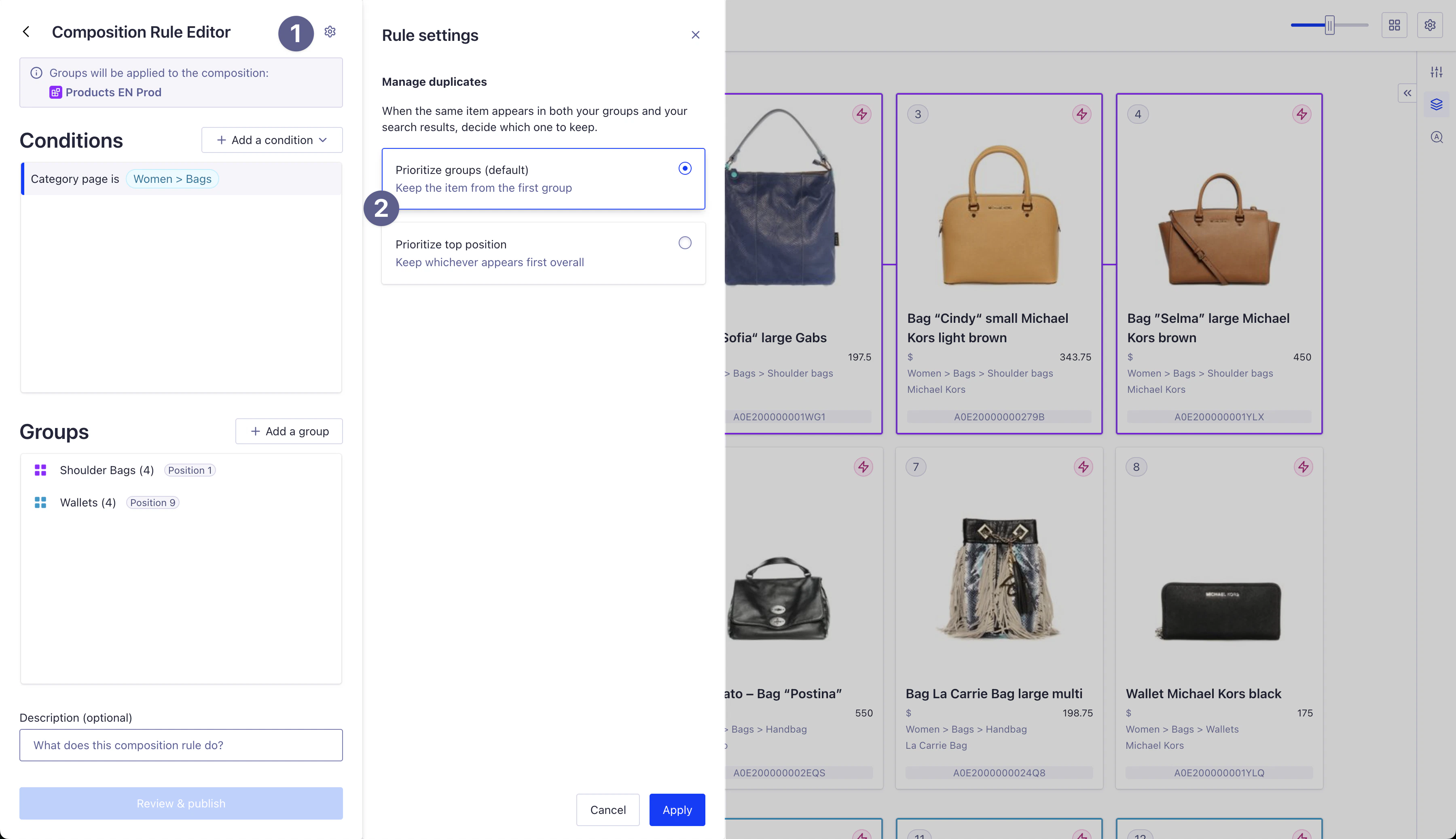
You configure the deduplication strategy when creating or editing a composition rule in the Algolia dashboard.You define the deduplication strategy at the composition rule level. Each rule must have its own settings.
Steps to configure
- Open rule settings. In the Composition Rule Editor, click the settings icon in the top right
-
In the Manage duplicates section, select your strategy. Choose between:
- Prioritise groups (default). Uses the
highestInjectedstrategy. - Prioritise top position. Uses the
higheststrategy.
- Prioritise groups (default). Uses the
- Click Apply to confirm, then save your composition rule.
Configure deduplication with the API
You can use the Composition API to configure the deduplication strategy programmatically. The deduplication strategy is set in thebehavior.injection.deduplication.positioning parameter:
JSON
Choose and apply a deduplication strategy
Different deduplication strategies affect how users experience search results Select and apply a strategy that aligns with your needs and your user’s needs:- Ecommerce monetisation. Use
highestInjectedto guarantee sponsored products appear in their paid positions. - Content discovery. Use
highestto prioritise relevance while still promoting specific items. - Brand partnerships. Use
highestInjectedto honor paid placements or contractual obligations in campaigns.