

This is a beta feature according to Algolia’s Terms of Service (“Beta Services”).
Key capabilities
Key capabilities
- Trending items: show globally trending products or trending within specific categories
- Trending facets: discover popular categories, brands, or attributes
- Bought together: suggest items frequently purchased with a given product (for example, during checkout or product views)
- Related products: find alternatives or similar items (useful for out-of-stock products)
- Looking similar: recommend visually similar products based on image analysis
- Configurable parameters: apply a , set a result limit, or customize a recommendation
Configure the Recommend tool
- From the dashboard
- With the API
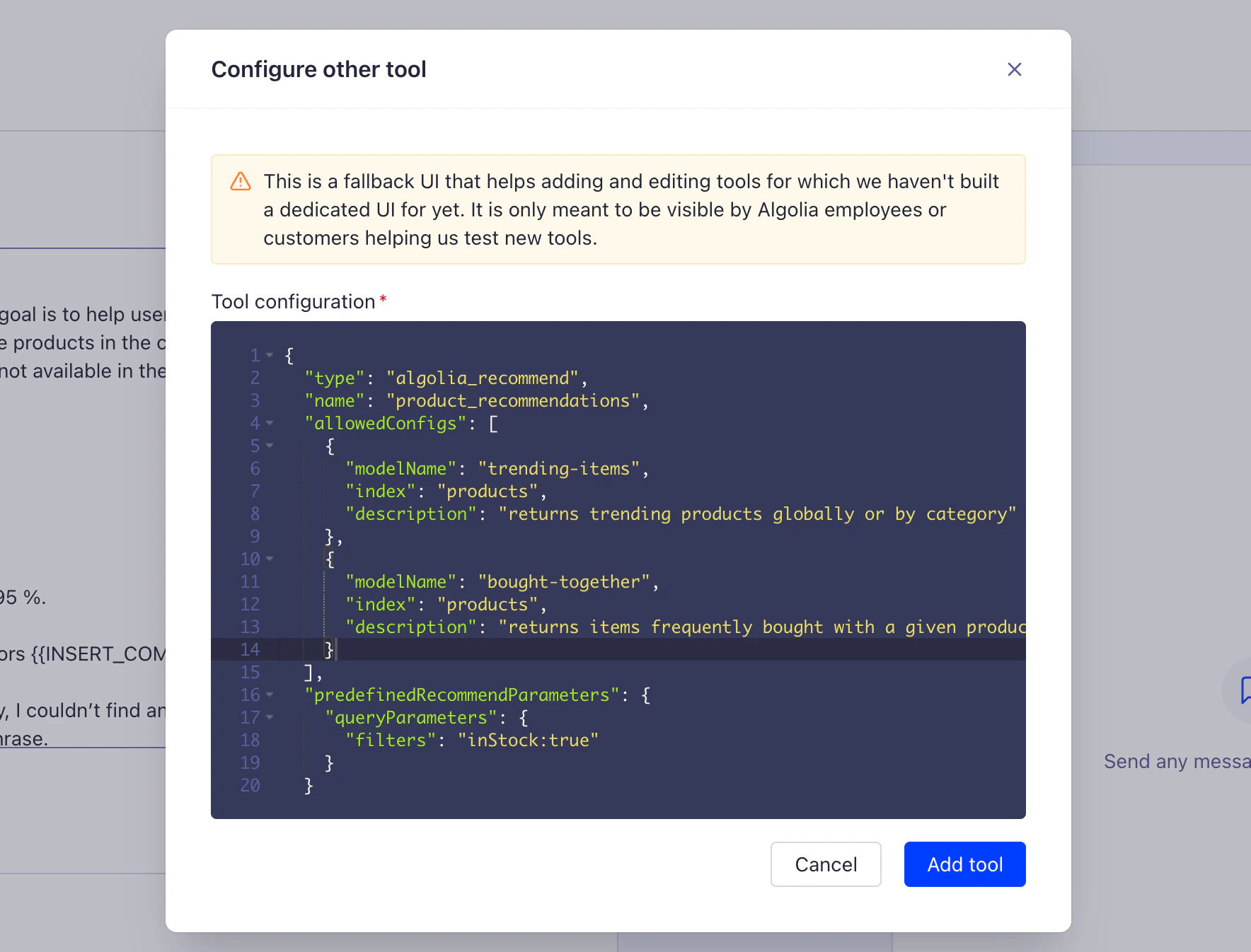
From the Agent Studio agent edit view in the Algolia dashboard:
- Click Add tool > Other tools
- Configure the Recommend tool using the JSON Schema (see API tab for example)
- Click Add tool
Required fields
type: must be"algolia_recommend"allowedConfigs: array of recommendation model configurations (minimum 1)modelName: one oftrending-items,trending-facets,bought-together,related-products, orlooking-similarindex: Algolia name (1-100 characters)description: describe when to use this recommendation model
Optional fields
name: custom name for this tool instance (defaults to"algolia_recommend", 3-32 characters)predefinedRecommendParameters: global parameters applied to all recommendation requestsqueryParameters: filters or search parametersfilters: apply filters (for example,"inStock:true AND isPublished:true")facets: facets to return in the responseattributesToRetrieve: limit returned attributes
threshold: confidence threshold (0-100, defaults to 0)maxRecommendations: number of results (defaults to 10)
Runtime parameters
The agent can dynamically adjust these at runtime:- Item-based models (
related-products,bought-together,looking-similar): requiresobjectID - Trend-based models (
trending-items,trending-facets): can filter byfacetNameandfacetValue maxRecommendations: number of recommendations to fetchthreshold: confidence level for recommendation quality